Runs List
The Runs List is the main dashboard showing all workflow runs.
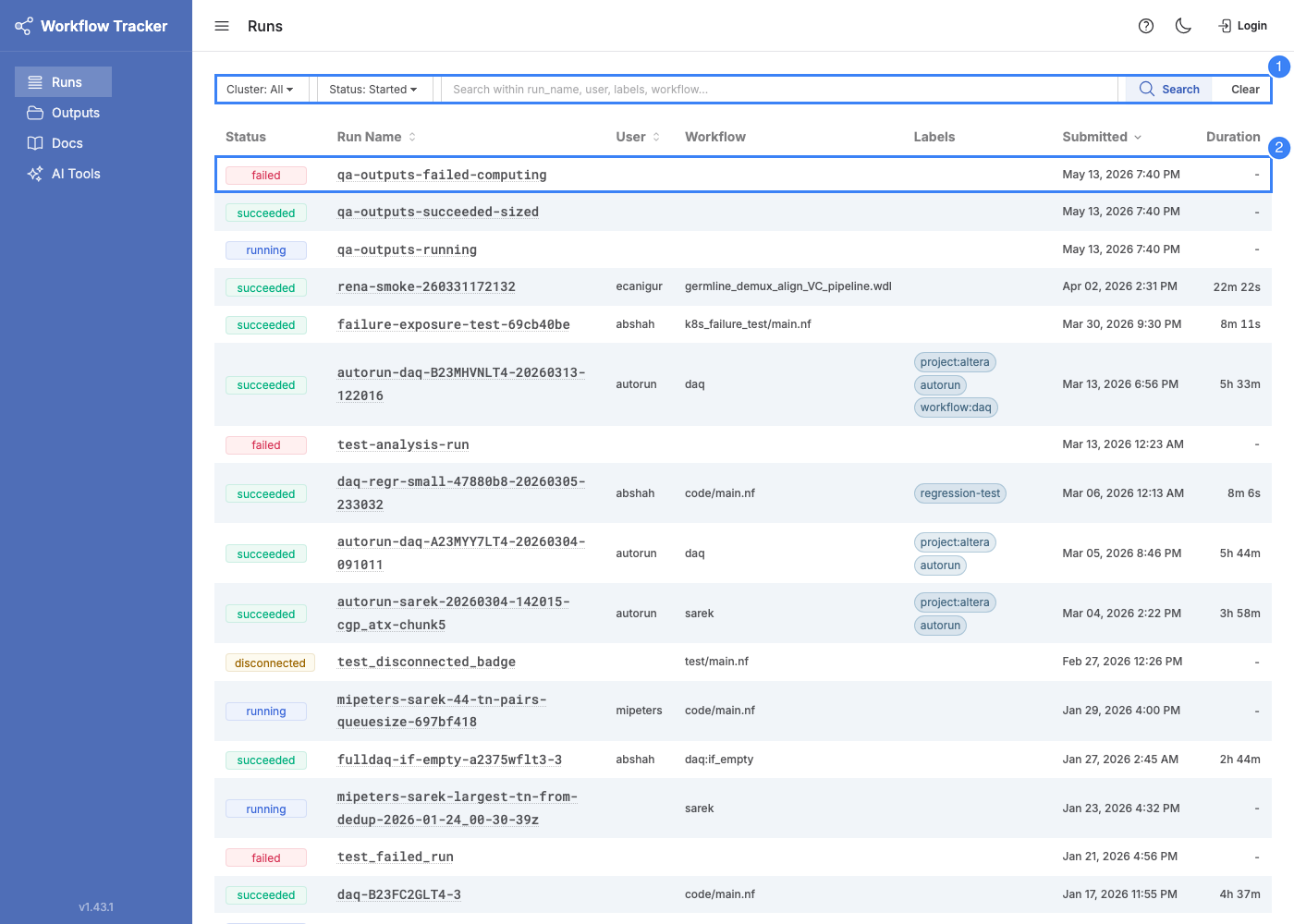
Columns
| Column | Description |
|---|---|
| Status | Current run status (registered, created, running, succeeded, failed) |
| Run Name | Unique run name. Links to the run detail page. |
| User | Who submitted the run |
| Workflow | Repository name and revision (branch/tag), or local script path |
| Labels | Labels attached at submission time |
| Submitted | When the run was registered in Tracker |
| Duration | Total elapsed time from start to completion |
Status Filter
The default filter is Started (any outcome), which shows running, succeeded, and failed runs -- excluding registered and created runs that never began executing. Other filter options: All, Running, Succeeded, Failed, Registered, Created.
For search, sorting, and pagination details, see Search & Filtering.